
bKash App Download APK Latest Version for Android in Bangladesh 2026
2 Hours Ago
12 MB
7.3.5
Android 5.0 and Above
50K+

Description
Think about the last time you paid an electricity bill, topped up a phone or sent money to your village. Chances are you did it from your phone in under a minute. That is the everyday reality the bKash App created for more than eight crore people in Bangladesh. New users even collect up to ৳100 in welcome rewards in their first two months.
This guide answers what people ask before installing. You will see how to get the right APK, log in with your number, use your account without the app and even reach it from a PC. On top of that, we cover cash out charges, daily limits and how to spot a fake login page before it costs you money.
What Is bKash App (বিকাশ)?
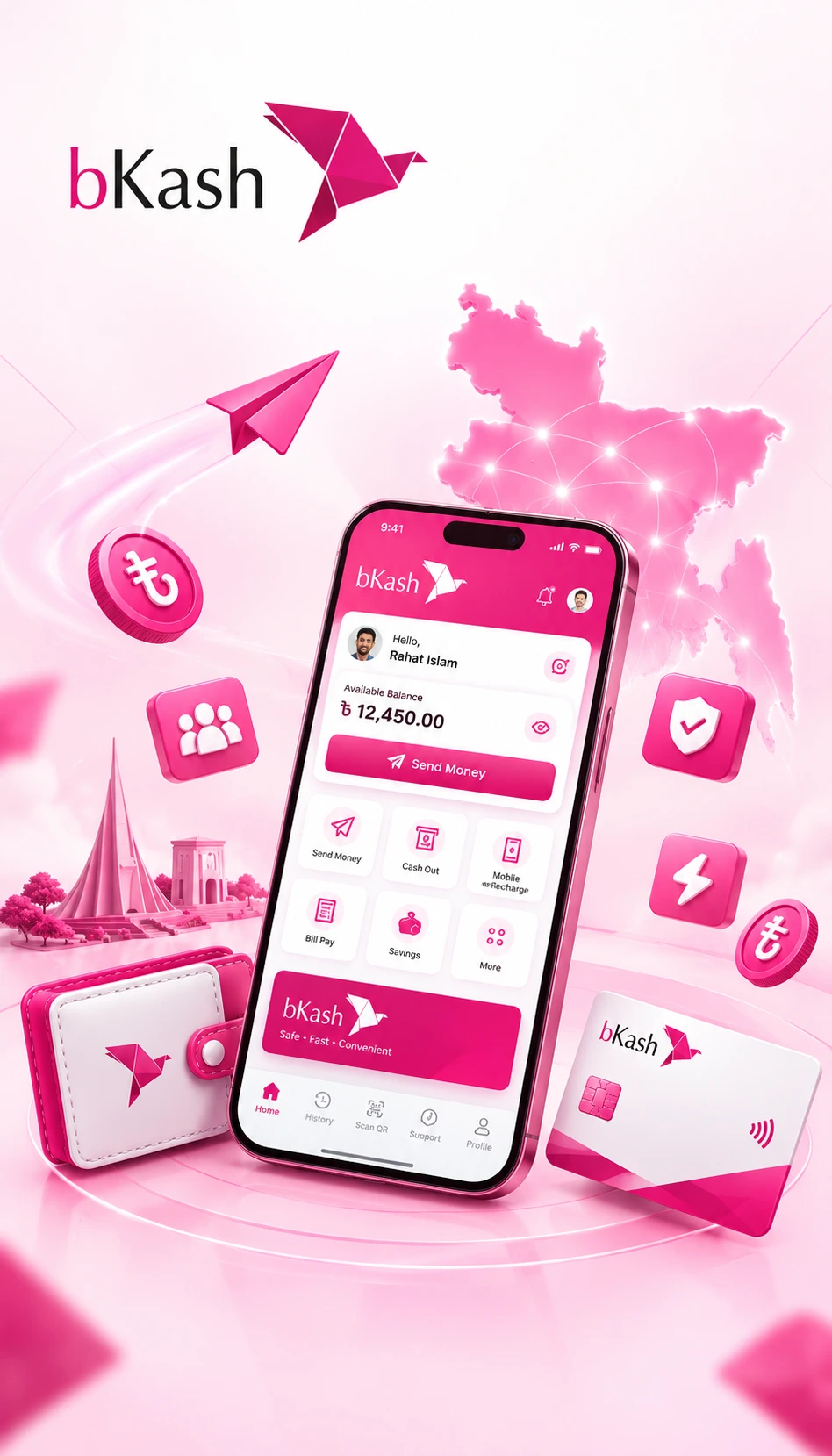
It is the official mobile wallet of a licensed financial service regulated by Bangladesh Bank. Your registered mobile number becomes your account number, so there is no card to carry and no branch to visit. Once the account is open, the same number handles transfers, payments, recharges and cash withdrawals from one simple screen.
The app grew out of a simple need. Millions of people had a phone but no bank account, and sending money home meant long bus rides or risky cash. Today a garment worker in Gazipur can send wages to her mother in Rangpur in seconds. Meanwhile, a student can pay university fees without standing in a single queue.
Beyond transfers, the wallet now covers bills, QR shopping, savings plans, small loans and remittance from abroad. Everything works in both Bangla and English, and a basic phone can still use most services through a USSD menu. That mix of reach and simplicity made it the default money app for many households.
App Information at a Glance
Here are the key details, taken from the official website and the app stores. Many Bangladeshi apps covered on our site, including TK999 and BDG88, rely on mobile wallets as their main payment route. So learning this one first makes the rest easier.
| Detail | Information |
|---|---|
| App Name | বিকাশ |
| Developer | bKash Limited |
| Latest Version | 7.3.5 |
| Google Play Rating | 4.4 from 1.7 million reviews |
| Languages | Bangla and English |
| Regulator | Bangladesh Bank |
| USSD Code | *247# |
| Helpline | 16247 |
Key Features of the bKash Mobile Wallet
Today the app covers most payments a family makes in a month, from school fees to mobile bundles. Each service sits on the home screen, two taps away at most. These are the features people use most, with the small details that save time and money.
Send Money to Any bKash Number
You can send money to any registered number by typing it or picking a contact. Transfers of ৳50 or less are free every time. On top of that, you can save up to five Priyo Numbers and send them up to ৳25,000 a month at no charge. Group Send Money also pays up to seven people at once.
Cash Out from bKash Agents and ATMs 24/7
Cash Out turns your balance into physical money at any agent point, BRAC Bank ATM or Q-Cash ATM. However, you can only withdraw up to Tk 30,000 a day and Tk 200,000 a month. For amounts of ৳5,000 or more at an agent, you also need to share your NID number.
Mobile Recharge for GP, Robi, Banglalink, Airtel and Teletalk
Recharge covers every major operator, including Grameenphone, Robi, Banglalink, Airtel and Teletalk. As a result, you can top up your own number or a friend’s prepaid line in seconds. The app also lists current internet and minute bundles, so you can pick the right pack before paying.
Pay Bill for Electricity, Gas, Water and Internet
Pay Bill clears electricity, gas, water, internet and many other bills from home. First, choose your biller, then enter the account or meter number and confirm with your PIN. The app keeps a digital receipt for every payment, which helps if a biller ever questions it. So, no more long queues.
Add Money from Bank or Card
Add Money moves funds into your wallet from linked bank accounts and Visa or Mastercard cards. So you do not always need an agent to fill your balance. In addition, the reverse service sends wallet money back to a bank account or Visa card whenever you need it.
Scan QR Merchant Payments
Scan QR is the fastest way to pay at shops, restaurants and online stores. First, point your camera at the merchant code, check the name, enter the amount and confirm. Many merchants also run cashback campaigns for QR payments, so check the Offers tab before you pay.
USSD Code *247# for Banking Without App
Every core service also works without internet through the code *247#. Simply dial it from your registered SIM, then choose a service and enter your PIN. It is a lifesaver when data is slow, and it works on any basic phone, so older family members can use it too.
bKash App Download APK Guide for Android
The safest way to get the app is the official Google Play listing, and the download button on this page takes you straight there. Always check the developer name before installing, since this app handles your money and identity.
Latest Version vs Old Version APK (6.9.0 and 6.2.0)
Many people still search for old builds like 6.9.0 or 6.2.0, often because a newer version once felt slow. However, old builds miss security patches and may stop logging in after server updates. Version 7.3.5 is the current build as of October 2026, and updating keeps your OTP checks, biometric login and offers working.
App Download for iPhone (iOS)
iPhone users can get the official app from the Apple App Store. Moreover, the iOS version offers the same services as Android, from transfers to QR payments. Face ID makes logging in even quicker on newer iPhones. As always, check that the publisher name is correct before you tap download.
App Download for PC
There is no official desktop app for personal accounts. Some users run the Android version through an emulator such as BlueStacks, but that adds risk to a money app, and a shared PC is never safe for your PIN. Merchants are the exception, since they can manage payments through the web Merchant Portal.
How to Install the APK and Update to the Latest Version?
Installing takes about two minutes on 4G. Before you begin, keep some free storage and your registered SIM in the phone. Updating an older build through Google Play keeps your account and settings exactly as they are. Follow these short steps:
- First, tap Download on this page
- Next, confirm the developer
- Then tap Install and wait
- After that, open the app
- Finally, turn on auto update
How to Open a bKash Account with NID or Birth Certificate
Opening an account happens fully inside the app, with no agent visit needed. To start, you only need an active Bangladeshi SIM and a photo of your NID, or a birth certificate for a student account. The app then guides you through a quick face check, and you set a secret five digit PIN.
- First, tap Open Account
- Then enter your number
- Next, scan your NID
- After that, take a selfie
- Finally, set your PIN
৳100 Welcome Offer for New Accounts (৳১০০ ওয়েলকাম অফার)
New customers can collect up to ৳100 by using the app in their first two months. You get ৳25 for registering and logging in, ৳25 for your first mobile recharge, ৳20 for a transfer in month one, and ৳30 for transfers, payments or bills in month two. Check the Offers tab for current terms.
bKash Login Guide For App, Number and PC
Logging in is simple once your account is active, and there is more than one way to do it. For example, most people use the app with their number and PIN, while others prefer the USSD menu on a basic phone.
Login with Number, OTP and PIN
Open the app, enter your registered mobile number and tap Next. During your first login on a new phone, you receive a one time code by SMS to verify the device. Enter that OTP, then type your five digit PIN. After that, you can switch on Fingerprint or Face ID for faster access.
Login Without App
You can reach your account without the app by dialling *247# from your registered SIM. From there, the menu lets you send money, cash out, recharge, pay bills and check your balance with your PIN. It needs no internet, so it is the best backup when your smartphone is broken or out of data.
Forgot PIN or OTP Not Coming?
If you forget your PIN, tap Forgot PIN on the login screen and follow the verification steps, which may include a face scan. When the OTP does not arrive, check your signal and the registered SIM, then wait a minute before trying again. If nothing works, call 16247 or visit a customer care centre.
How to Add Money to bKash from a Bank or Card
You can fill your wallet in two ways: with cash through an agent, or with Add Money from a bank or card. The second option works at any hour from home through a secure banking page. Always confirm the amount first. Here is how it works:
- First, tap Add Money
- Then pick Card or Bank
- Next, enter the amount
- After that, approve with OTP
- Finally, check your balance
How to Send Money in a Few Taps
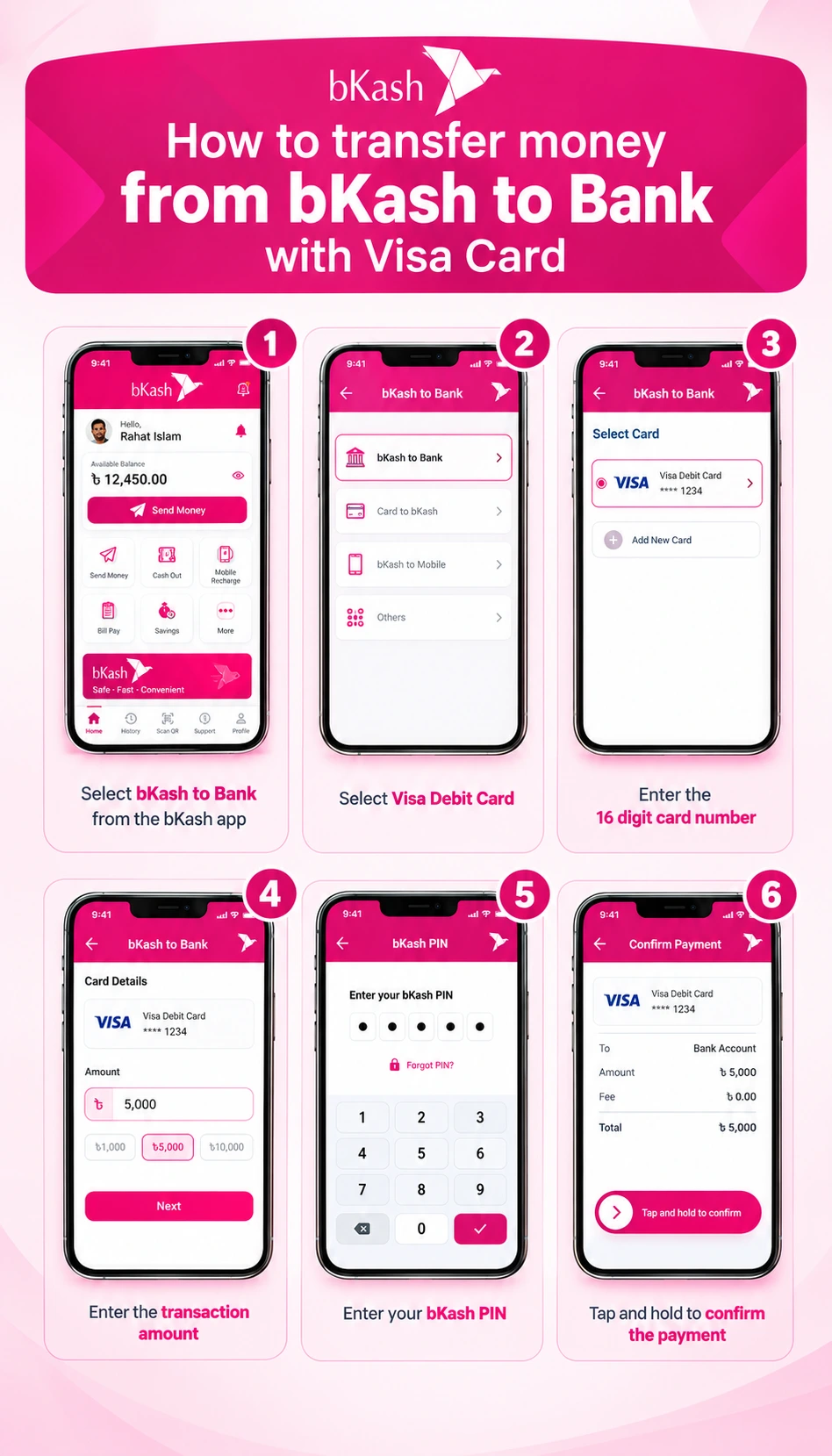
Sending money takes less than a minute between any two accounts in the country. The key step is checking the receiver number, because a mistake is hard to reverse. Also, a short reference helps both sides remember the payment. You can even move money to a bank or Visa card in six simple steps.
- First, tap Send Money
- Then enter the number
- Next, type the amount
- After that, review details
- Finally, confirm with PIN
Cash Out Guide and Daily Limits
Cash Out works at any agent shop and at supported ATMs, and the app shows your remaining limit in real time. You can take out up to Tk 30,000 a day and Tk 200,000 a month. At an agent, ask for their number, choose Cash Out, enter it with the amount and confirm. Finally, always count the cash before leaving.
bKash Charges, Fees and Transaction Limits
Above all, knowing the charges helps you plan bigger payments. The regular Cash Out fee is 1.85 percent, or ৳18.50 per thousand, through both the app and USSD. Saving up to two Priyo Agent numbers drops that to ৳14.90 per thousand for up to ৳50,000 a month.
| Service | Charge or Limit |
|---|---|
| Cash Out (regular agent) | ৳18.50 per ৳1,000 |
| Cash Out (Priyo Agent) | ৳14.90 per ৳1,000 up to ৳50,000 a month |
| Send Money to Priyo Number | Free up to ৳25,000 a month |
| Send Money ৳50 or less | Free |
| Daily Cash Out limit | Tk 30,000 |
| Monthly Cash Out limit | Tk 200,000 |
Customer, Agent and Merchant App: Which One Do You Need?
Search results often mix three apps from one company. The customer app in this guide is for everyday sending, paying and saving. By contrast, the Agent app is only for registered agents who handle cash in and cash out. Merchants use the Merchant app and web portal to receive payments from shoppers.
Using bKash from Abroad and the USA
Bangladeshis living overseas can open and use an account through the app with a foreign mobile number and a Bangladeshi NID. This means you can check balances and pay family bills while away. Money from countries like the USA arrives through authorised remittance partners and banks, and conversion to taka happens at the partner end.
Why Bangladeshi Families Rely on bKash
Its real strength is how much daily life it covers. A rickshaw puller can save a little every week, and a parent can top up a child’s phone from the office. With agents in almost every village, cash is never far away, which is why it became a household name.
How to Spot Fake bKash Login Pages and APKs
Fake login pages sometimes appear in Google results on plain IP addresses or strange domains. In fact, they copy the pink design to steal your number and PIN. The real service never asks for your PIN on a website, and staff never ask for your OTP on a phone call.
- Never type your PIN on a website
- Also ignore OTP calls
- Then check the developer
- Also avoid modified APKs
- Report fraud to 16247
Helpful Tips and Customer Care 16247
A few simple habits keep your wallet safe and your payments smooth. After all, most problems come from sharing details or sending to the wrong number. If anything goes wrong, report it fast by calling 16247 or 02-55663001, or by emailing the support team. Keep these tips in mind:
- First, save Priyo Numbers
- Then add Priyo Agents
- Also keep it updated
- Next, check Offers
- Finally, lock your SIM
Pros and Cons of the bKash App
Pros
- Free transfers to Priyo Numbers
- Up to ৳100 welcome rewards
- Works offline with *247#
- Bangla and English interface
- Huge agent and ATM network
Cons
- Cash Out costs 1.85 percent
- Daily and monthly limits apply
- No official PC app
- Internet needed for app features
Conclusion
For most people in Bangladesh, it is still the easiest way to handle money, from free transfers to bills, QR shopping and cash out at any agent. Download version 7.3.5 from the official store, claim your welcome rewards and save your Priyo Numbers to cut costs. For more trusted app guides, visit APKTRY.
Frequently Asked Questions
Dial *247# from your registered SIM and use your PIN, with no internet needed.
There is no official PC app for customers. Merchants can use the web Merchant Portal.
Version 7.3.5 is the current build as of October 2026.
New customers can earn up to ৳100 in rewards over their first two months.
Up to Tk 30,000 a day and Tk 200,000 a month.
Download links
How to install bKash App Download APK Latest Version 7.3.5 for Android in Bangladesh 2026 APK?
1. Tap the downloaded bKash App Download APK Latest Version 7.3.5 for Android in Bangladesh 2026 APK file.
2. Touch install.
3. Follow the steps on the screen.